Legacy code11 min read
Who Can Help Me Modernize a Legacy Web Application
Who Can Help Me Modernize a Legacy Web Application (and Avoid a Full Rewrite)
By Duncan
Key takeaways
Most legacy web apps are slow or brittle because of a handful of causes: poor architecture, accumulated tech debt, tightly coupled code, no automated tests and unpatched dependencies.
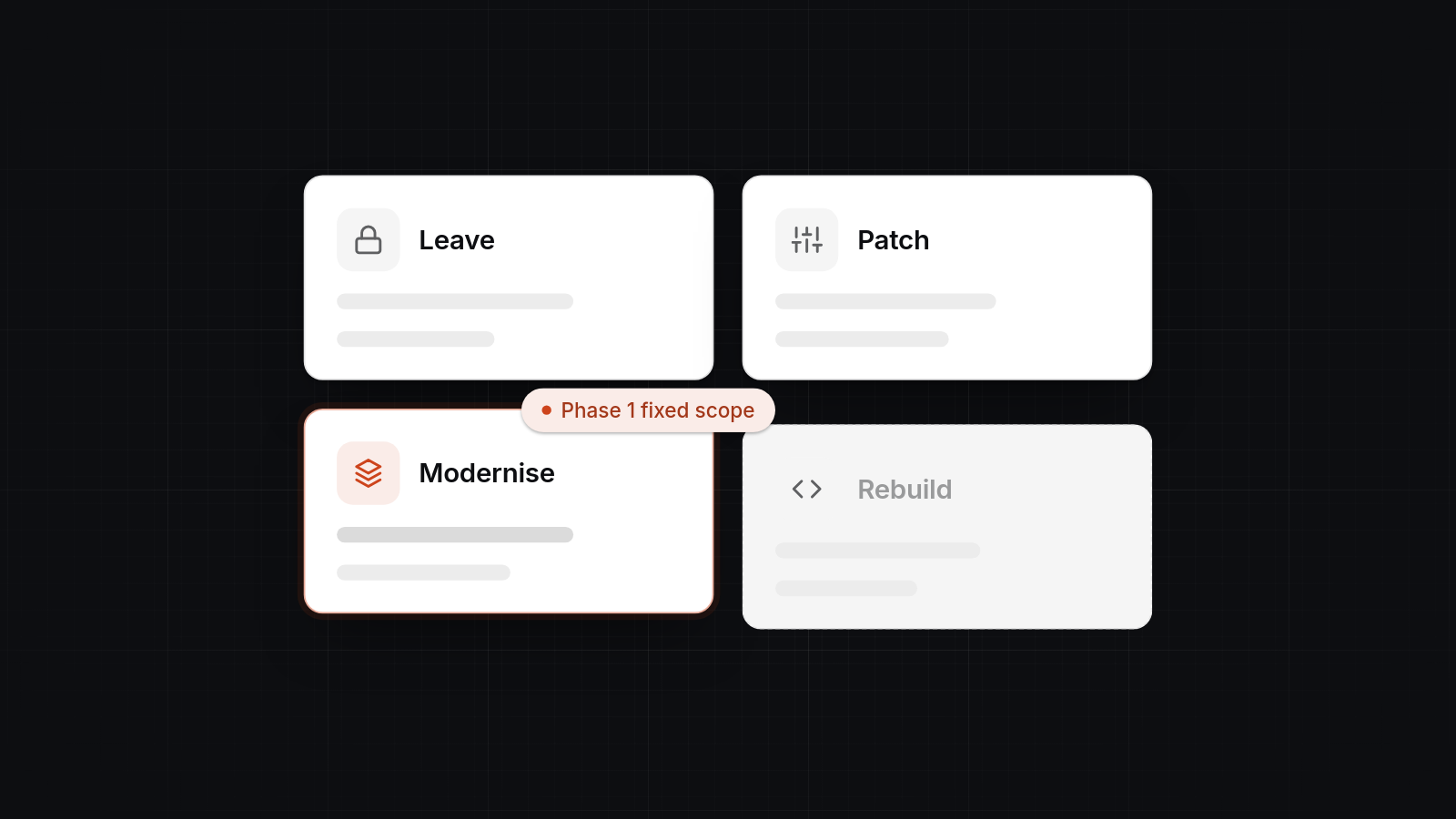
You have four realistic options: leave it, patch it, modernise in stages, or rebuild. Staged modernisation is usually the best balance of risk and cost.
SaaS or low-code is sometimes the better answer, and we will say so.
Our process starts with a £750 planning day, then a code and infrastructure review, then a fixed-scope first phase.
We build with typed React and TypeScript, tests around critical paths, small modules, documented decisions and a clear upgrade routine, so the same problem does not return in two years.
A software team that reads your code before quoting, fixes the riskiest parts first and keeps the business running while it works can help you modernize a legacy web application. That can be us at AppBespoke, another agency, or a good freelancer. What matters is the method: a paid review, a fixed-scope first phase, and changes made piece by piece rather than a big-bang rewrite.
This post covers why legacy apps get slow and costly, the realistic options, when a cheaper route is the better one, and what a modernisation engagement with us looks like.
What "legacy modernisation" means
Legacy modernisation means changing an existing application so it is faster, safer and cheaper to change, without losing the business logic it already holds. "Legacy" does not mean old. It means software that is hard to change safely. An app built three years ago can be legacy if nobody dares touch it.
The work covers a range. At one end it is updating dependencies and adding tests. At the other it is replacing the whole system. Most real projects sit in the middle: the application is restructured and upgraded in stages while it stays live.
Why legacy web apps become slow and expensive to maintain
Small shortcuts pile up until every change takes longer and breaks more. The same five causes come up again and again.
Poor architecture
The original structure may have suited a small version of the business. As users, data and features grew, it stopped fitting. Symptoms include pages that make dozens of database calls, business rules scattered across templates, and one server doing everything.
Accumulated tech debt
Every "we'll tidy this later" adds to a balance that is paid in slower work. Debt itself is normal. The trouble starts when nobody pays it down, so each new feature costs more than the last.
Tightly coupled code
When everything depends on everything else, a change to invoicing breaks the customer list. Developers become afraid to touch anything, and quotes for small changes grow to match.
No automated tests
Without tests, the only way to check a change is safe is to click through the app. Releases are slow and upgrades are risky. It is often the biggest single reason an app is called "brittle".
Unpatched dependencies
Frameworks, runtimes and libraries keep moving. An app left alone for a couple of years often will not build on a current machine. A ten-minute change becomes a multi-day upgrade, usually when you need it most. Old packages also carry known vulnerabilities, so it is a security risk too.
Slowness has more ordinary causes as well: unindexed database queries, oversized JavaScript bundles, missing caching and over-provisioned hosting. These are often quick to fix, and worth ruling out before anyone talks about a rewrite.
Choosing between leaving it, patching it, modernising or rebuilding
The right option depends on how much the app is worth to the business and how bad the underlying code is. Here is how the four compare.
| Leave it alone | Patch it | Modernise in stages | Rebuild | |
|---|---|---|---|---|
| What it means | No changes beyond keeping it running | Fix the worst bugs and slow pages as they appear | Review, add tests, upgrade and restructure piece by piece | Replace the whole system with a new one |
| Upfront cost | None | Low, billed per fix | Moderate, starting with a £750 planning day | Highest |
| Risk | Rises quietly over time | Medium, no tests to catch side effects | Lowest of the active options, because each step is small | High, because the old system must keep running until the new one is ready |
| Disruption | None until something fails | Low | Low, the business keeps running | Moderate to high at cut-over |
| Fixes root causes | No | No | Yes, gradually | Yes |
| Best fit | Stable, rarely changed, low-risk internal tool | Small, specific problems in an otherwise sound app | Valuable app with real structural problems | Code too damaged to rescue, or a changed business model |
Leave it alone
This is legitimate for a stable tool that rarely changes and holds no sensitive data. Be honest about the risk, though. Unpatched dependencies and expiring credentials do not announce themselves.
Patch it
Patching works when the problems are specific: a slow report, a broken integration, one bad query. It stops working when every patch causes a new fault elsewhere. That points to coupling and missing tests.
Modernise in stages
This is our usual recommendation for apps that still do their job but are painful to change. You keep what works, put tests around it, and replace the weak parts one at a time.
Rebuild
A rebuild is sometimes right, but it is the most expensive and riskiest option. It makes sense when the codebase cannot be understood or tested, the technology is end of life, or the business has changed so much that the old model no longer fits. Even then, we would normally migrate in slices rather than switch over on one day.
When SaaS or low-code is the better answer
SaaS or low-code is the better answer when your process is standard and the app is small, internal and low-volume. If your legacy app does something a well-known product already does, replacing it with that product is often cheaper than modernising it. Think of a basic booking system, a simple CRM, or an internal form-and-approval tool. Our comparison of custom software against off-the-shelf SaaS covers the long-term cost side.
Low-code tools such as Retool or Power Apps can also replace a creaky internal admin panel in days. They start to strain with high user counts, complex relational data or unusual integrations. If that describes your app, custom code is the better home. If it does not, we will tell you to save your money. For more on that trade-off, see bespoke software vs low-code and no-code platforms.
We would also say no to modernising an app that is about to be retired, or one whose users could move to a standard tool next quarter.
Agencies, freelancers, consultancies and in-house hires
Whoever you choose should start with an assessment, not a promise. Large consultancies suit enterprise programmes running over several years. A freelancer can suit a contained fix, though you carry the risk if they become unavailable. An in-house hire suits steady, continuous work. A small agency suits a growing business with a valuable app and no spare engineering capacity. We weigh this up in more detail in hiring a dev agency instead of an in-house team.
Whichever you pick, ask these questions:
- Will you review the code and infrastructure before quoting?
- Is the first phase fixed-scope and fixed-price?
- Who owns the code, repository and cloud accounts afterwards?
- How will you keep the business running during the work?
- What tests and documentation will exist when you finish?
If an answer is vague, treat that as information.
What a modernisation engagement with AppBespoke looks like
It runs in three steps: a planning day, a review, and a fixed-scope first phase. We are a Glasgow-based team and we take over codebases that have become hard to change through our custom software development service.
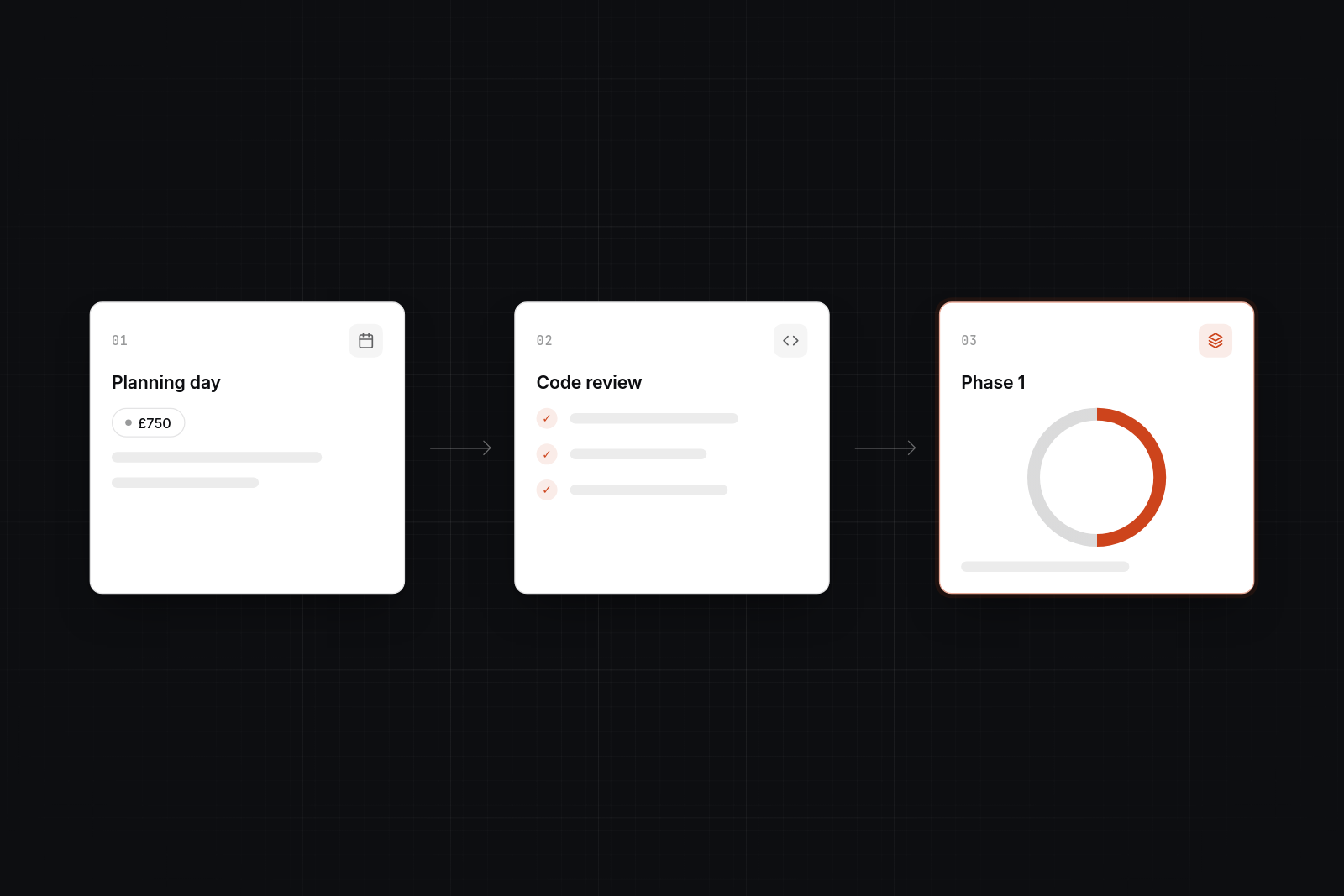
Step one: the £750 planning day
We spend a day with you and your team working out what the app does, what hurts, and what matters most to the business. The output is a written plan: priorities, risks and a recommended route. If the right answer is "leave it" or "move to SaaS", we say so here.
Step two: code and infrastructure review
We read the code and look at where it runs. That covers structure, dependencies and their ages, test coverage, hosting, backups, credentials and integrations. You get a plain-English report that ranks problems by risk and cost.
Step three: a fixed-scope first phase
We agree a fixed scope and price for phase one, so you know what you are paying before work starts. Phase one usually tackles the highest-risk items: getting the app building cleanly, patching dependencies, adding tests around critical paths, and fixing the worst performance problems.
How we avoid freezing the business
We work piece by piece. The app stays live, changes ship in small releases, and tests cover each release before it goes out. Where a part needs replacing, we run the new piece alongside the old one and switch over once it has proven itself. You can keep asking for new features during this time, though we will be candid about what is sensible to add on top of unstable foundations.
Modernisation cost and timescales
It depends on size, but as a guide, a planning day is £750, a review follows, and a first phase is typically a matter of weeks. Small apps with a few clear problems may need only a phase or two. Larger systems with many integrations take longer and are best split into several phases, each with its own fixed scope.
For comparison, a new custom web application typically costs from around £10,000 for a single internal tool to £90,000 or more for a customer-facing system with multiple roles and integrations. Our breakdown of what it costs to build a custom web application goes into the detail. Staged modernisation usually costs a fraction of a full rebuild, because you keep the parts that work. The planning day and review mean the figure for your app is a real one rather than a guess. All prices are in GBP, and VAT is added where it applies.
Once the work is done, plan for ongoing upkeep. A custom application typically costs 15% to 25% of the original build cost per year in hosting, security patches, dependency updates and small changes, as we explain in the cost to maintain a custom web application per year. That figure is worth agreeing up front.
Building so you will not need a rewrite in two years
We build for maintainability from day one, using practices you can check, so your web app won't need a rewrite in two years for avoidable reasons. No one can promise an app will never need a rewrite. What you can do is make the app easy and safe to change.
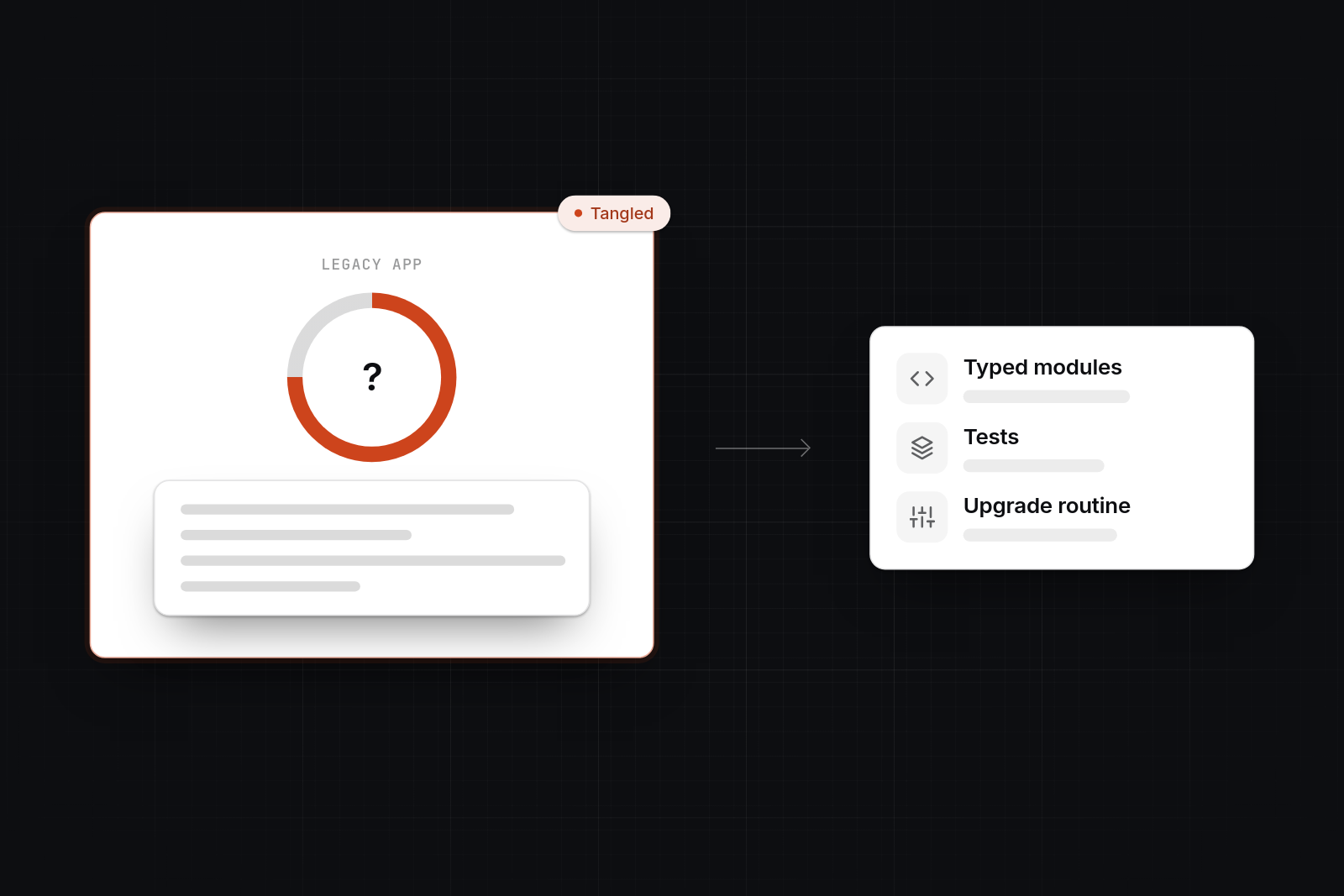
- Typed React and TypeScript. Types catch whole classes of mistakes before they reach users, and they make the code easier for a new developer to read.
- Tests around critical paths. Logins, payments, order flows and anything that would hurt if broken get automated tests. Releases become routine rather than risky.
- Small modules. Code is split into pieces that each do one job, so a change in one place does not ripple through the rest.
- Documented decisions. We write down why something was built a certain way, so knowledge does not sit in one person's head.
- A clear upgrade routine. Dependencies are updated in small, regular steps, backed by the test suite. That avoids the "works until you touch it" surprise bill.
You also receive the code, repository and infrastructure access, so you are never locked in to us.
Talk through what you are building
If your web app has become slow, brittle or costly to change, get in touch and book a 30-minute video call. We will talk through what you are building and what is going wrong. If it is a fit, the next step is a £750 planning day.
FAQs
What does "legacy modernization" mean?
It means changing an existing application so it is faster, safer and easier to change, while keeping the business logic it already holds. The work can be as light as updating dependencies and adding tests, or as heavy as replacing parts of the system in stages.
How to modernize legacy applications?
Start with an assessment of the code, hosting and dependencies. Rank the problems by risk, then fix the highest-risk ones first, with tests around the parts that matter most. Replace weak components one at a time while the app stays live. A full rebuild should be the last resort, not the starting point.
Why do companies not replace all of their legacy systems?
Usually because the systems still work, hold years of business rules, and a full replacement is costly and risky. Many are also hard to replace because nobody has documented what they do. Staged modernisation lets a company reduce risk without betting the business on one big switch-over.
What is the definition of a legacy system in computing?
A legacy system is software that is still in use but is hard to maintain, change or integrate, often because it relies on outdated technology, has no tests or documentation, or is understood by very few people. Age alone does not make a system legacy.
Who can help if our web app is slow and expensive to maintain?
Start with a short, paid review from an engineer or small team who will measure where the time and money go. Slowness is sometimes a few queries or hosting settings, which are cheap to fix. If the review points to structural problems, a staged modernisation is usually a better answer than a rewrite.