Key takeaways
If your invoices already go into Xero, QuickBooks or Sage, use their capture feature or Dext first. Dext's UK business plan starts at £290 a year for 250 documents a month.
Template parsing is accurate and cheap for a few suppliers whose layouts never change. It breaks quietly when a layout does change.
OCR turns a scan into text. It does not know which number is the total, so it needs something else on top.
AI extraction from the cloud providers costs roughly $10 per 1,000 pages and copes with layouts it has not seen, but it still needs checks.
A custom pipeline makes sense for hundreds of varied PDF reports, tables that span pages, or data that has to land in your own systems on a schedule.
To extract data from invoices and PDFs into a spreadsheet, most small teams should start with the capture tool in their accounting software, such as Xero's or Dext, because it already reads supplier, date, VAT and total for pennies a document. Template parsing, OCR, AI extraction or a custom pipeline are only worth paying for when the documents are not ordinary supplier invoices, or the volume and variety outgrow those tools.
We are a Glasgow-based team that builds data extraction pipelines and the software around them. This post compares six ways of getting data out of invoices and PDF reports: manual entry, invoice capture tools, template parsing, OCR, AI extraction and a custom pipeline. For each it gives accuracy, cost per document, the volume it suits and what breaks it, then covers how to check results before they reach the spreadsheet and when we are the wrong choice. It is written for finance and operations teams.
The six methods compared
Which method fits depends on how many documents you have, how much their layouts vary and where the data has to end up. The table gives figures as a guide. Prices come from published price lists and comparison guides at the time of writing, they change often, and most exclude VAT.
| Method | Accuracy | Cost per document | Volume it suits | What breaks it |
|---|---|---|---|---|
| Manual entry | Good when people are careful, worse when they are rushed | Staff time, which grows with every document | A few dozen a month | Volume, tiredness, month-end deadlines |
| Invoice capture tools (Dext, Xero's own capture) | High on supplier, date, VAT and total for ordinary invoices | Pennies. Dext from £290 a year for 250 a month. Xero's capture is included in most UK plans | Tens to a few thousand invoices a month going into accounting software | Line items cost extra or are missing, documents that are not invoices, data that needs to go anywhere but the ledger |
| Template parsing | Very high while the layout matches | Almost nothing to run, setup time for each layout | A handful of suppliers or report formats that rarely change | A supplier redesigns its invoice or adds a column, often without anyone noticing |
| OCR | Reads text well from clean scans, but does not label fields | Fractions of a penny. Azure's Read OCR is about $1.50 per 1,000 pages | Any volume, as the first step for scanned files | Poor scans, handwriting, and the fact that text alone is not structured data |
| AI extraction | High on clean digital PDFs, lower on poor scans and unusual layouts | About $10 per 1,000 pages from Azure or AWS, plus your build | Hundreds to many thousands, from many suppliers | Unchecked output, multi-page tables, fields the model guesses when the document does not state them |
| Custom pipeline | As high as its checks make it | Setup cost plus a monthly fee, then pennies per document | Steady, varied volume that has to land in your own systems | Weak scoping, no one owning it after launch |
| AppBespoke | We combine OCR, templates and AI, with validation before anything is delivered | From £2,000 setup plus £400 a month | Ongoing extraction on a schedule, delivered to your database, an API or a sheet | We are not worth it for ordinary supplier invoices your accounting tool already reads |
Manual entry
Manual entry is a person reading each document and typing the figures into a spreadsheet. It needs no software and copes with any layout. It works for a few dozen documents a month, but not once a backlog builds at month end, when the same person is also chasing approvals, or when errors start reaching the accounts.
Invoice capture tools
Invoice capture tools are built for one job: reading supplier bills and receipts and posting them to your accounting software. Dext's UK business plan starts at £290 a year, billed annually, for 250 documents a month and five users. Line item extraction is an add-on from £16.50 a month, or £0.40 a document on pay as you go. Xero includes Hubdoc in its main UK plans, and it creates draft bills with the supplier, date, amount and tax filled in. Xero is moving its customers to a newer Smart Document Capture feature that also reads line items. Check Xero's own pricing page for what your plan includes, because third-party guides disagree.
These tools are cheap and quick to set up, and for most small businesses they are enough. They are built to fill a ledger, so they help less when the data needs to go into a spreadsheet, a reporting database or your own software, or when the documents are not invoices at all.
Template parsing
Template parsing reads each field from a fixed position or next to a fixed label on the page. Tools such as Docparser work this way, as do free libraries such as invoice2data, Tabula and Camelot for tables in PDFs that already contain text. You build one template per layout, and from then on that layout is read almost perfectly and very cheaply.
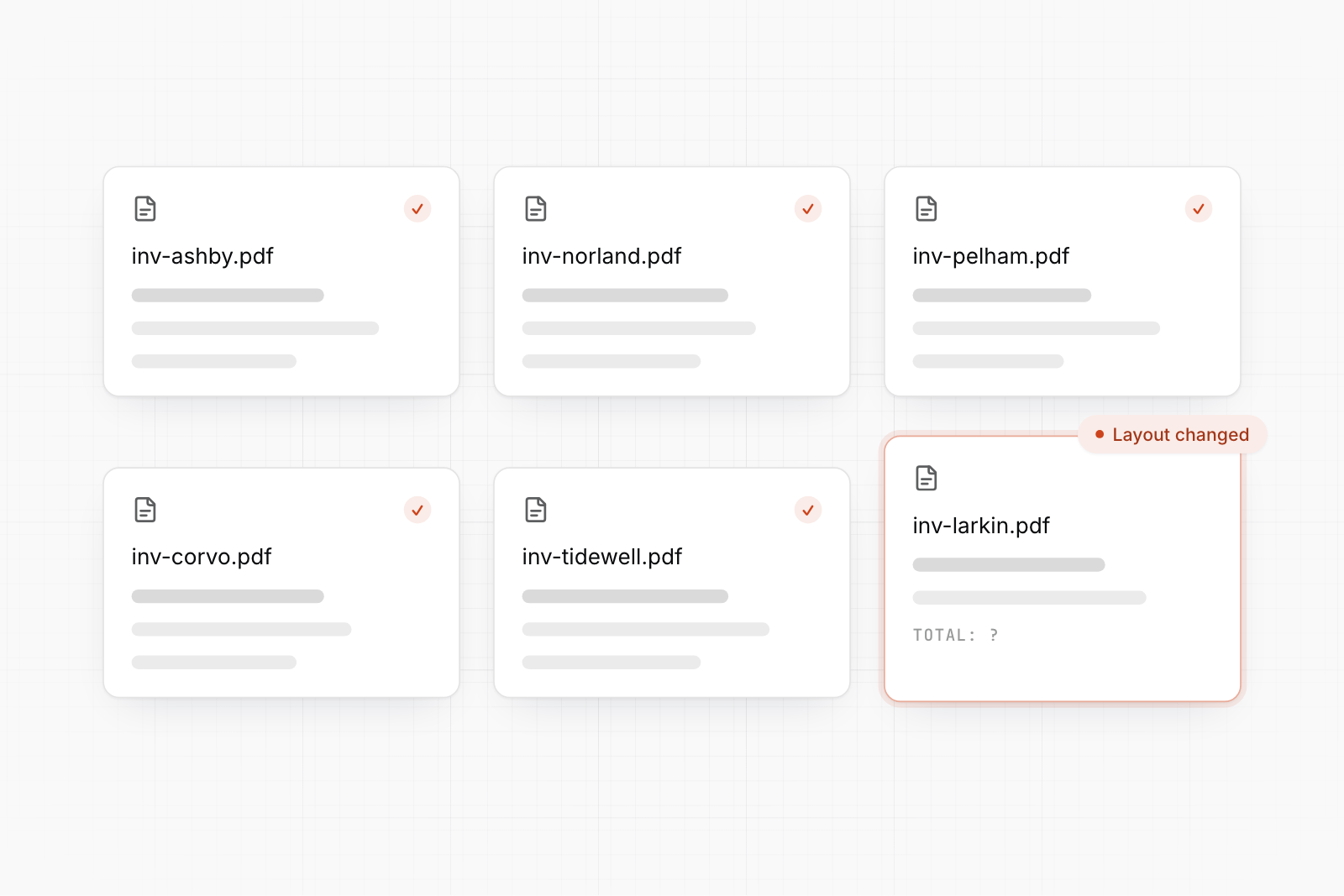
Templates break when layouts change. If a supplier moves its total, adds a column or sends a credit note in a different format, and the template either stops matching or, worse, reads the wrong number. With 200 suppliers you can have 200 templates to look after. Templates suit a few high-volume suppliers or a set of reports that you produce yourself.
OCR
OCR, optical character recognition, turns an image of a page into text. A scanned invoice is a picture with no text in it, so OCR is the first step for any scanned or photographed document. It is cheap: Azure's Read model is about $1.50 per 1,000 pages at published rates. Tesseract is free.
On its own, OCR gives you a page of text and no idea which number is the invoice total and which is a phone number. It needs templates or AI on top to turn that text into fields. Its accuracy depends on scan quality. Scan at 300 DPI or higher if you can.
AI extraction
AI extraction reads a document by meaning, so it finds the total wherever the supplier put it. Microsoft's Azure Document Intelligence has a prebuilt invoice model, and AWS Textract has AnalyzeExpense. Both cost about $10 per 1,000 pages at their published rates. Google Document AI's invoice parser charges per document instead, about $100 per 1,000. General language models can do the same job from a description of the fields you want.
It handles new suppliers and changed layouts without a template. It is very accurate on clean, digital PDFs and less so on faint scans and unusual layouts. It can also produce a plausible value for a field the document does not contain, so the checks in the next section matter most here. Billing is per page, so a four-page invoice costs four times a one-page one.
A custom pipeline
A custom pipeline combines these methods into one process that runs on a schedule: collect documents from an inbox or folder, OCR the scans, use templates for the stable layouts and AI for the rest, check the results and deliver them where they are needed. It suits steady volume from many sources, PDF reports with tables that run across pages, and data that has to land in a database or your own software rather than a ledger.
It costs more to set up than any of the tools above, but it is cheap per document, because most of the cost is the setup and the upkeep.
Extracting tables from hundreds of PDF reports
The best way to extract tables from hundreds of PDF reports is to sort them first by whether they contain real text or are scans, then batch them through a script or service that writes every table to the same column layout. Reports are a different problem from invoices. The fields are not standard, the tables are long, and they often split across pages.
For PDFs that contain real text, free libraries such as Camelot, pdfplumber and Tabula can pull tables out in bulk, and Excel's own PDF import can handle a few simple ones. For scans, run OCR first or use a service that reads tables from images, such as Azure, Textract or Google Document AI. Watch for tables that span pages: Azure's own documentation warns they may come back as two tables. Before committing to any tool, run ten of your real reports through it and check every table came out with its own columns and nothing merged.
If the reports cannot leave your network, there are open-source tools that run locally. That is often a reason to build rather than buy.
How results are checked before they reach the spreadsheet
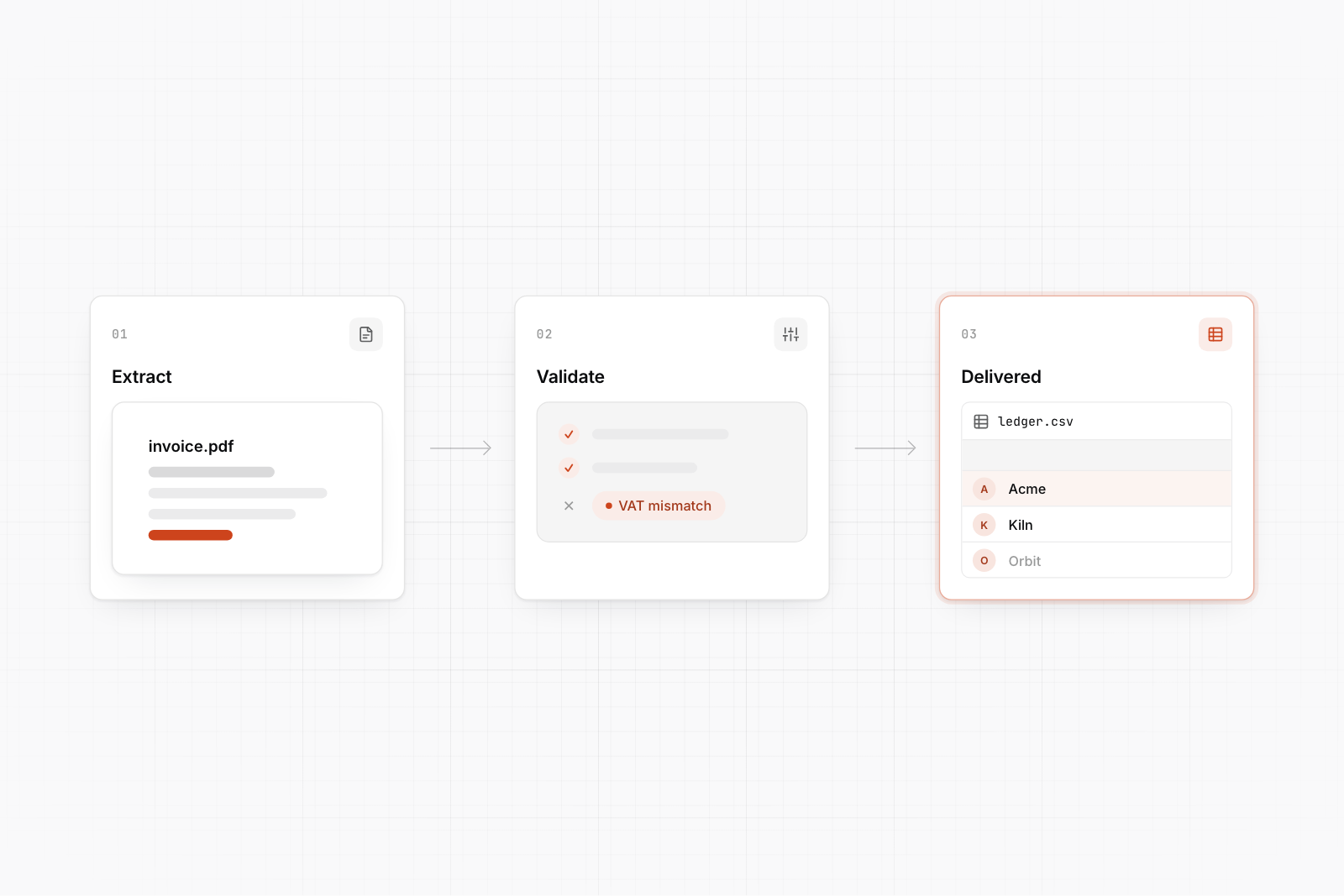
Every method above makes mistakes. Check each document in three ways before its data reaches a spreadsheet, and send anything that fails to a person.
Arithmetic and format checks
The numbers on an invoice should agree with each other. Line items should add up to the net total, net plus VAT should equal the gross total, and VAT should be the right rate for the amount. Dates should be real dates in one format, and a VAT number should have the right shape. These checks are cheap and catch most misreads whichever method you use.
Checks against what you already know
The extracted supplier should match a supplier you have. The invoice number should not already be in your records, which catches duplicates. The purchase order number, if there is one, should exist and be open. Amounts far outside a supplier's usual range should be flagged.
Confidence and review
Cloud AI services return a confidence score for each field. We set a threshold, and any field below it goes to a review queue where a person sees the extracted value next to the original page and accepts or corrects it. Corrections are logged, and if one supplier's corrections start rising, its layout has probably changed. Someone should also spot-check a sample of passed documents each week, because a check that never fails may not be running.
What a custom pipeline costs with us
A custom pipeline with us costs from £2,000 setup plus £400 a month, and our data extraction service page lists every tier. The Pipeline tier is £2,000 setup and £400 a month: one source, scheduled runs, delivery to your database or an API, and failure alerts, hosted and maintained by us. The Pipeline and Intelligence tier is £4,000 setup and £1,000 a month, covering up to five sources, AI classification and enrichment, change detection, a hosted dashboard and delivery to Sheets, Slack, a CRM or a webhook. High-volume work with many sources is quoted from £8,000.
The monthly fee covers the most common problem, a supplier changing its layout or a report adding a column. We watch for it and fix it at no extra cost. Each tier is written down before you commit: the fields, the sources, how often they run and where the data goes.
When we are not the right choice
We are not the right choice if your invoices already go into Xero, QuickBooks or Sage and their capture feature, or Dext, reads them well enough. Those tools cost a few pounds a month and we cannot beat that for ordinary supplier bills. We are also not worth it for a one-off job of a few hundred PDFs. A free library and an afternoon, or a few days of manual entry, will cost less.
We are a better fit when the documents are not standard invoices, when there are hundreds of PDF reports a month with tables to pull out, when the data must land in your own database or software, or when accuracy matters enough that every figure needs a check before anyone relies on it.
Next step
If you are weighing up capture tools, templates, AI or a custom pipeline, book a 30-minute video call with us. Bring a few sample documents and tell us where the data needs to go. We will say plainly whether your accounting tool already covers it. If a custom pipeline is the right fit, the next step is our £750 technical planning day.
FAQ
FAQs
How can I automatically pull data out of invoices into a spreadsheet?
If the invoices go into accounting software, use its capture feature or a tool like Dext and export from there. If they do not, an AI extraction tool can read invoices from a folder or inbox and add one row per invoice to Excel or Google Sheets. For steady volume, add arithmetic and duplicate checks before the rows land, so errors are caught before anyone uses the sheet.
Should I use template-based OCR or AI extraction for invoices?
Use templates for a few suppliers whose layouts never change, because they are cheap and very accurate. Use AI extraction when you have many suppliers or layouts that change. Many working systems use both: templates for the largest suppliers and AI for the rest, with the same checks on everything.
Why do OCR templates break when a supplier changes its invoice layout?
A template reads a field from a fixed position or next to a fixed label. When the supplier moves the total, renames a label or adds a column, the template either finds nothing or reads the wrong number. The second case is worse, because nothing fails visibly. Rising corrections for one supplier are usually the first sign.
How accurate is invoice OCR in practice?
OCR reads the text of a clean digital or well-scanned page very accurately. Getting each field right, such as the invoice number, date and total, is harder, and accuracy drops on poor scans and unusual layouts. Vendor accuracy claims vary widely, so test any tool on a sample of your own invoices before you choose.